User Interface - Color Scheme, Views, Translations
Width, color scheme, grid view, breadcrumb navigation, translations and keyboard shortcuts.
Width
Repository Stack 3 can have different container widths. Container Fluid creates an edge-to-edge file table. The container widths are based on the Bootstrap container classes of Blankstrap 5 and Foundry 3.
None (Width of the Stack) (new in Repository 3) uses the width of the stack. Use this option for all other themes, or to place Repository inside a container or column of your theme.
Color Scheme (new)
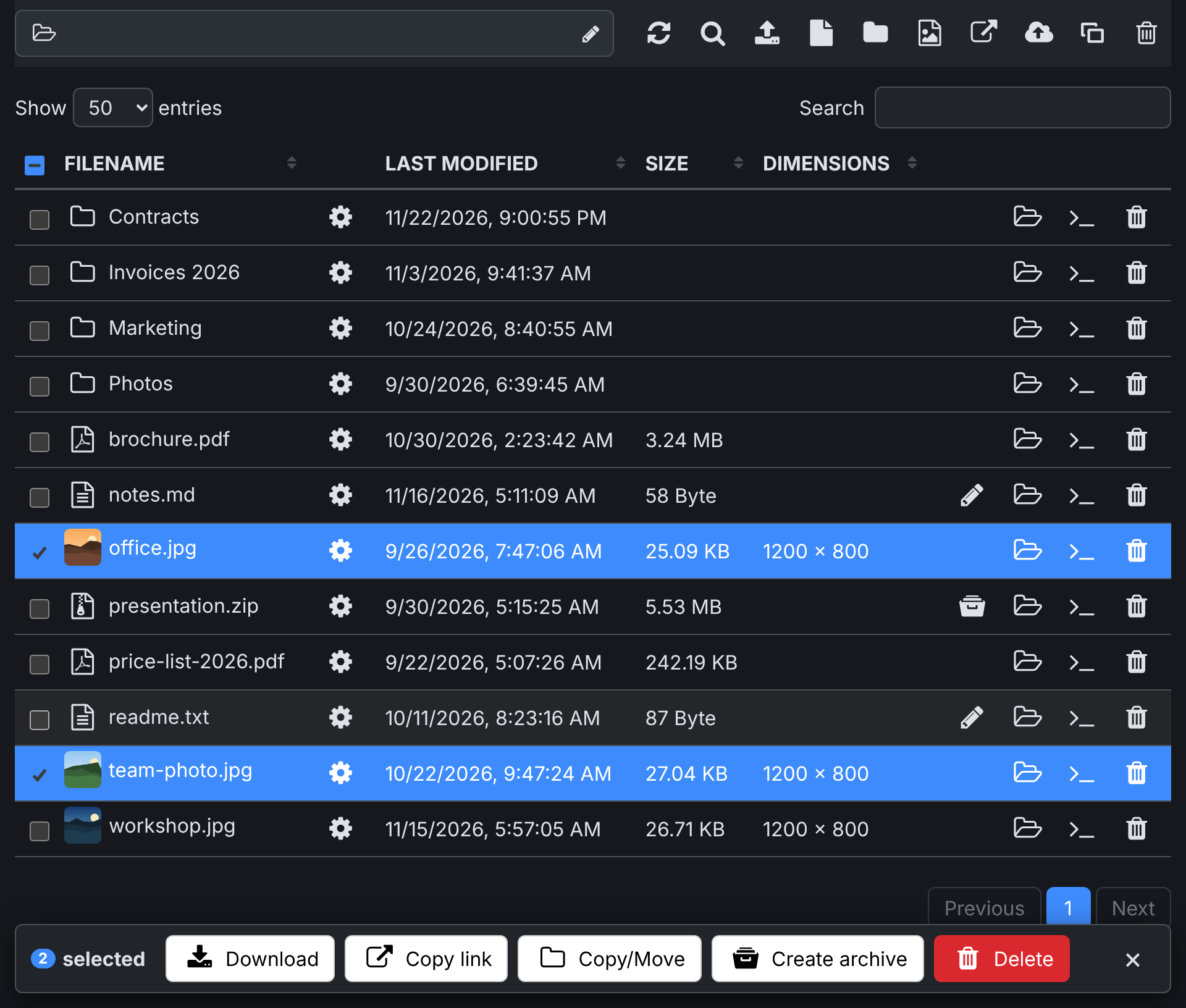
- Follow Theme: Repository uses the colors of your theme. For themes based on Bootstrap 5.3 or Pico, this includes their dark modes. For other themes, neutral colors are used.
- Dark: Repository always uses its dark color scheme.
- Automatic (OS Setting): Repository switches between light and dark with the setting of the visitor's operating system.
Grid View (new)
Setting: Grid View and Default View
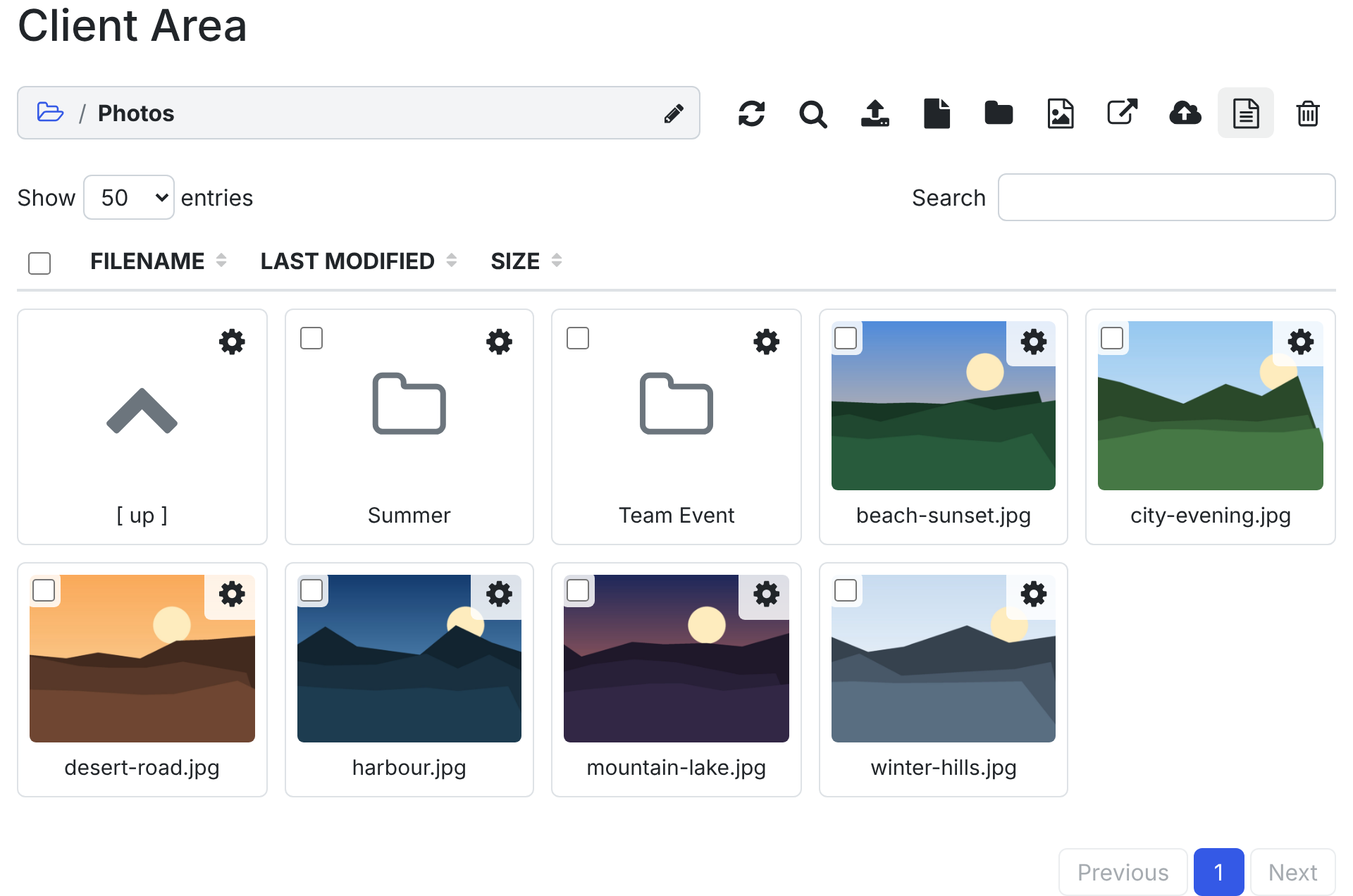
With Grid View enabled, a button in the toolbar switches between the classic list and a grid of tiles with image previews. Image previews are only loaded for the tiles currently shown, so large folders stay fast.
Sorting, search, paging, selection, context menu, keyboard navigation and drag and drop work the same in both views. The view chosen by a visitor is remembered in their browser. Default View (List or Grid) defines the view used until a visitor switches.
Breadcrumb Navigation (new)
Setting: Breadcrumb Navigation
The current path is shown as clickable breadcrumb (e.g. Root folder / photos / 2026) instead of an input field. To enter a path manually, click the pencil button or press g; Escape cancels.

Image Thumbnails and Lightbox
With Display Image Thumbnails (see permissions), a small preview is shown in the table instead of the file icon (for JPEG, PNG, GIF, WebP and SVG images).
Clicking an image opens it in a lightbox, which allows browsing through all images of the table.
Clipboard Folder Deep Link
When copying the link of a folder, the link normally points to the folder on the server. With Clipboard Folder Deep Link, the copied link opens the folder inside the Repository page instead.
Translations
Repository Stack 3 is available in English, Arabic, Chinese, Czech, Danish, Dutch, Finnish, French, German, Hebrew, Indonesian, Italian, Japanese, Korean, Norwegian, Polish, Portuguese, Russian, Spanish and Swedish. Browser Language sets the language dynamically based on the browser language, with English as fallback.
All texts, including those of the new features of Repository 3, are translated into every language.
With Timezone, you define the time zone of the dates shown in the file manager (e.g. Europe/Berlin).
Keyboard Shortcuts
| Key | Function |
|---|---|
/ |
Search |
g |
Go to path (edit the path) |
r |
Refresh |
u |
Upload file |
o |
Remote upload |
F |
New file |
D |
New folder |
T |
Generate thumbnails folder |
e |
Edit or extract the highlighted file |
n |
Rename the highlighted item |
c / m |
Copy / move |
Del |
Delete the selected items |
Enter |
Open a file or folder |
Backspace |
Go to the parent folder |
Arrow keys / h j k l |
Navigate in the table |
Space |
Select the highlighted item |
Esc |
Clear the selection |
| Ctrl+Shift+F | Toggle the full screen editor |
Shortcuts are only available for the permitted functions.