New Features of Repository 3
Repository Stack 3 is a major update of the Repository Stack. The file manager has been rebuilt to work with any theme, and it comes with a set of new optional features, all of which are switched off by default. Here are the most important changes.
Works with Every Theme
Repository 3 is framework agnostic. It no longer needs jQuery, Bootstrap or any other framework, so you can place it on pages using Blankstrap 5, Foundry 3, Foundation or any other theme. A page specific Blankstrap 5 theme is no longer required.
The file manager brings its own scoped styles, which neither change the rest of your page nor are changed by it. Dialogs are native browser dialogs.
More information: Initial Setup
Color Scheme and Dark Mode
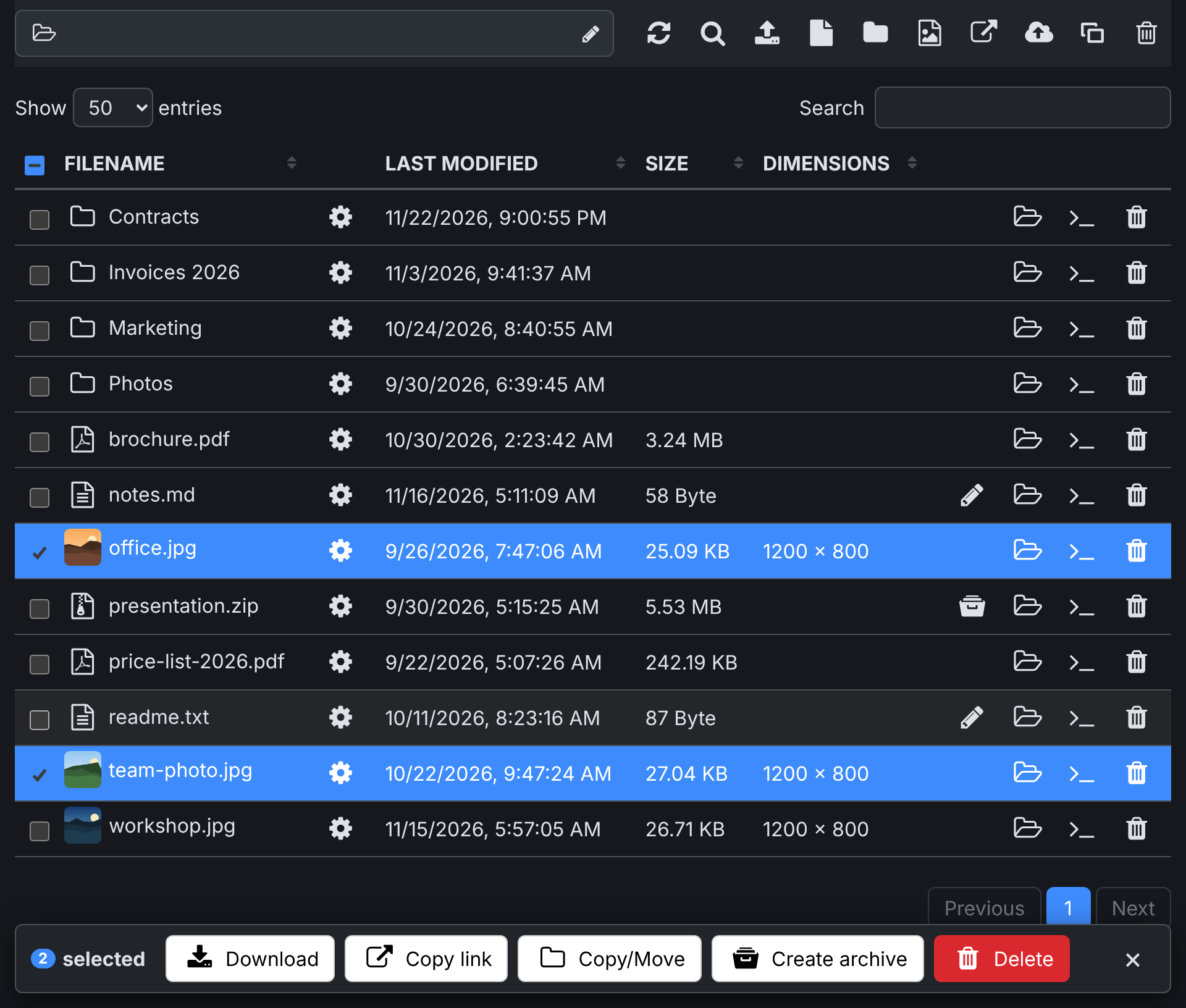
Repository 3 can follow the colors of your theme (including the dark modes of Bootstrap 5.3 and Pico), use a dark color scheme, or switch automatically with the operating system setting.
More information: User Interface
Multi-Select with Bulk Actions
A checkbox column, "Select all", Shift+click ranges and a selection bar allow you to download, copy links, copy / move, archive or delete several files and folders at once.
More information: File Operations
Download a Selection as Zip
Several selected files and folders can be downloaded as one zip file.
More information: File Operations
Ask Before Replacing on Copy / Move
When copied or moved items already exist in the destination folder, Repository asks whether to replace or skip them, also for drag and drop.
More information: File Operations
Trash with Undo
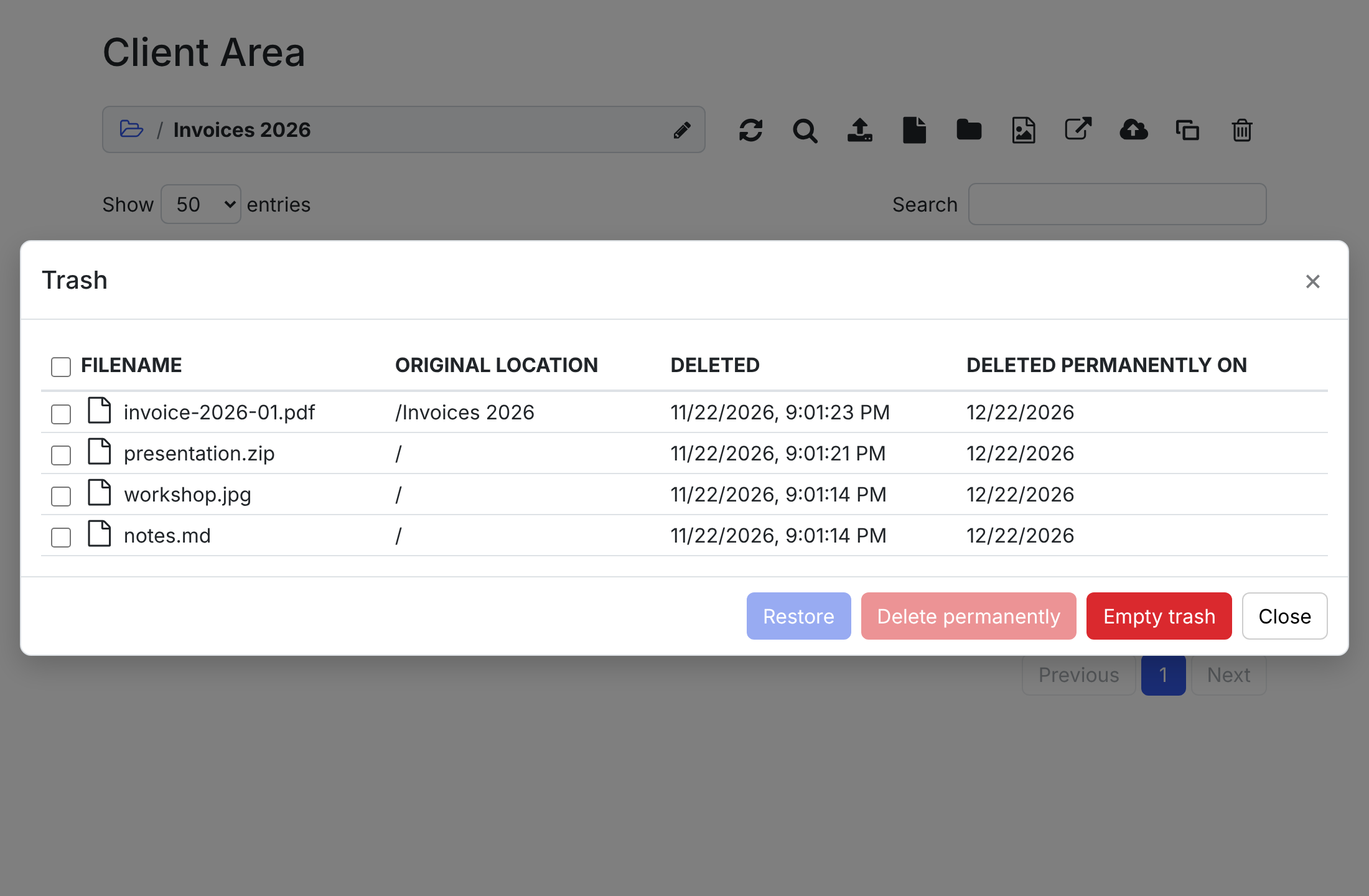
Deleted items can be moved into a trash instead of being deleted for good. Right after deleting, an "Undo" button restores them. Items are deleted permanently after a configurable number of days.
More information: File Operations
Grid View
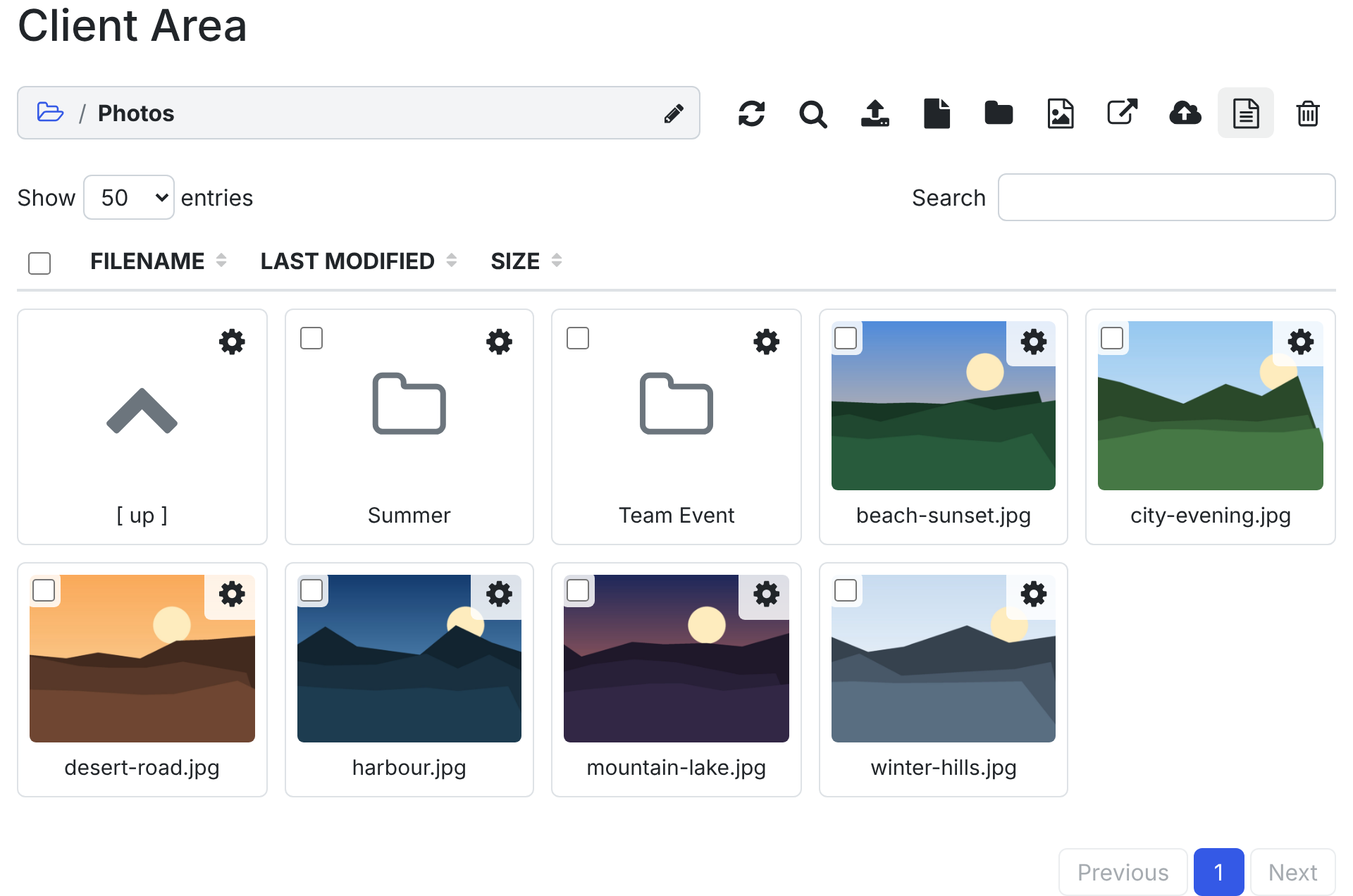
Next to the classic list, files can be shown as tiles with image previews.
More information: User Interface
Breadcrumb Navigation
The current path can be shown as a clickable breadcrumb instead of an input field.
More information: User Interface
Web-safe File Names
Names of uploaded files can be converted automatically into lowercase, web-safe names, e.g. "Mein Foto.JPG" becomes "mein-foto.jpg".
More information: File Uploads, Notifications and Thumbnails
Protected Mode
Files can be protected from direct access: they are only delivered through Repository, after login, and never directly by the web server.
More information: Security and Protected Mode
Login Throttling
Failed logins of the basic authentication are counted per IP address. After too many failed attempts, the login is locked for a configurable time.
More information: Authentication
Security Hardening
Repository 3 has been hardened throughout: protection against cross-site request forgery (CSRF), stricter path checks, safe delivery of uploaded files (HTML and SVG files can no longer run scripts on your site), safe extraction of archives and restricted remote uploads.
More information: Security and Protected Mode
Existing Projects Behave as Before
All new features are optional and switched off by default. Without enabling them, Repository 3 works like Repository 2.
Please note: Repository 3 requires PHP 8.2 or higher. See Prerequisites and Migration from Repository 2.